
MileFree is here. Start driving. Stop paying to track it.
Life is expensive enough. Tracking the miles you already drive should not become another monthly bill. MileFree is now open for public testing on iPhone: automatic trip tracking, history and reports, free through Apple TestFlight.
Technology should help — not keep charging you.
Drivers, couriers and small-business owners keep asking for the same things: automatic tracking that does not need babysitting, useful records when they need them, and a price that does not keep climbing. That is the idea behind MileFree. We are building a practical everyday tool, not a limited free tier designed to push people into Premium.
Free should mean full free.
Some mileage apps offer a free tier, but the limit appears after you start using it seriously. MileFree is taking a different path: no trip-count trigger, no paid unlock after a certain number of drives, and no Premium subscription for mileage tracking.
Free plan: up to 40 drives per month. More drives require the Unlimited subscription.
Official plan ↗Free Basic plan: up to 30 automatically detected trips per month. Unlimited auto-detection requires a paid plan.
Official plan ↗Free plan: reports for up to 15 trips per month. Unlimited trips and reporting are in Pro.
Official plan ↗The public TestFlight invitation is active. You can install MileFree on your iPhone now — no waiting list and no website account required.
MileFree is free during beta. Our product commitment for launch remains the same: no Premium or Pro tier, no subscription and no monthly trip cap.
MileFree features shown in this article
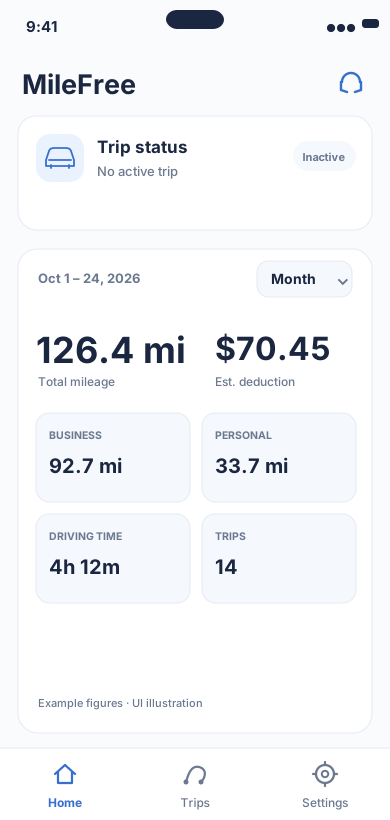
Current mileage and tracking status.
Flutter UI: HomeScreen / SummaryCardOpen larger preview ↗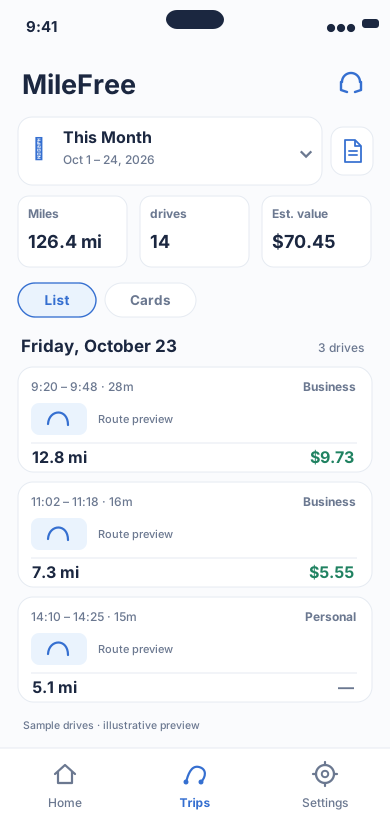
Date range, miles, drives and reviewable trip history.
Flutter UI: HistoryScreenOpen larger preview ↗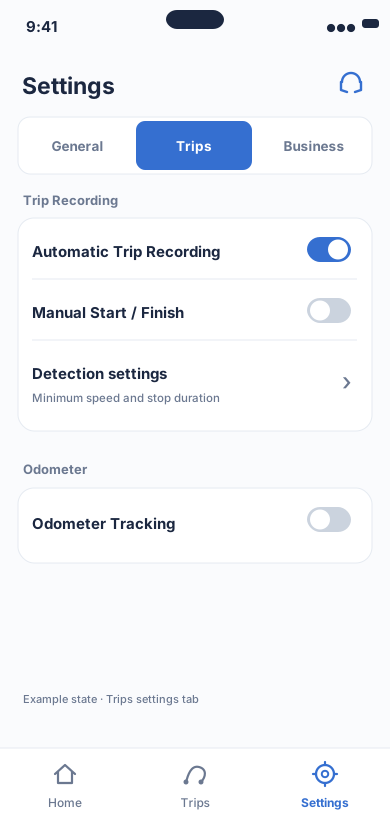
Tracking permissions and controls.
Flutter UI: ModernSettingsScreenOpen larger preview ↗Illustrative previews based on the app interface, with example data. These are not actual iPhone screenshots; the design may change. Preview text is in English.
Your beta mileage is not throwaway test data.
We are not planning to reset your history when MileFree moves from TestFlight to the App Store. The release path is being built so trips, mileage history and settings created during beta can continue with you. Keep MileFree installed and follow our release update instructions instead of deleting the beta first.
Apple notes that TestFlight data can be lost in some beta-to-production transitions, so we will publish the exact migration steps before the App Store release.Try MileFree now — three steps
Install TestFlight
If Apple TestFlight is not already on your iPhone, install it from the App Store.
Open the MileFree invitation
Open the public MileFree TestFlight invitation from the button below.
Install and drive
Accept the invitation, install MileFree, review the requested iPhone permissions and use it on real drives.
What we want you to test on real drives
- ✓Automatic trip start and stop during normal driving.
- ✓Trip history, distance, time and Business / Personal classification.
- ✓Mileage summaries and PDF, CSV or Excel reports.
- ✓Odometer entry and photo-assisted reading where available.
- ✓Background behavior after the iPhone has been locked or the app has been idle.
Tell us what feels wrong
This beta is for real feedback, not polite feedback. If a trip starts late, stops late, misses a drive, a report looks wrong or something is confusing, tell us what happened, what you expected, your iPhone model and iOS version. Screenshots help when they do not contain information you do not want to share.
Send beta feedback →What happens after beta
We will use this testing period to improve reliability, especially automatic trip detection, timely trip completion and reports. When the App Store version is ready, the goal is simple: update MileFree and keep using the history you already built — not start over because the beta ended.
MileFree is here. Start driving. Stop paying to track it.
Public beta. Free on iPhone through Apple TestFlight. Your feedback shapes the release.