
Mileage tracking for real estate agents: every showing has a purpose
A day with two buyers, a listing visit and an open house is not one automatic deduction. Keep the separate driving legs reviewable with a client or property reference.
MileFree features shown in this article
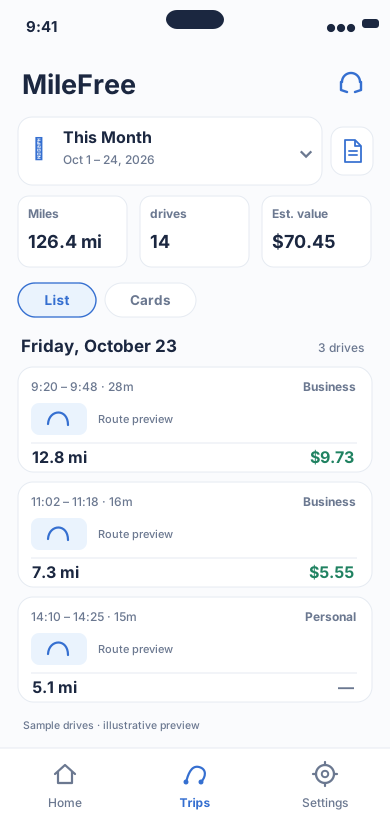
Date range, miles, drives and reviewable trip history.
Flutter UI: HistoryScreenOpen larger preview ↗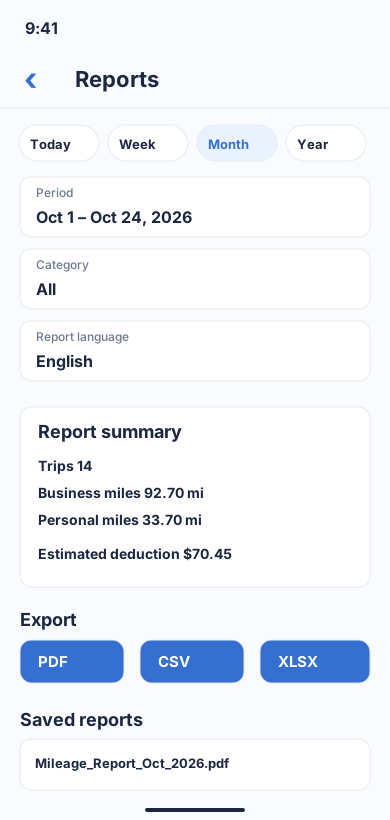
Choose a period and category, review business/personal totals, then download a report in PDF, CSV or XLSX format.
Flutter UI: ReportBuilderScreenOpen larger preview ↗Illustrative previews based on the app interface, with example data. These are not actual iPhone screenshots; the design may change. Preview text is in English.
A showing-day mileage example
Imagine a Saturday with property tours, a listing presentation and an open house. The sample below separates the drives from a personal errand. Record a real client or listing reference privately; do not publish customer addresses.
| Driving leg | Example miles | Category to review | Business purpose |
|---|---|---|---|
| Showing A → Showing B | 4.1 mi | Business (review) | Second showing for Buyer A |
| Showing B → listing visit | 6.3 mi | Business (review) | Seller B appointment |
| Listing → open house | 3.7 mi | Business (review) | Prepare open-house signs |
| Open house → grocery store | 2.8 mi | Personal | Unrelated shopping |
Home to the first showing: review commuting
Ordinary home-to-regular-work travel is typically commuting. A qualifying home office or temporary workplace can change the result depending on the facts. Consult IRS Publication 463 and a qualified tax professional; MileFree cannot determine deductibility.
Four steps to a usable weekly log
- Capture
Allow iPhone tracking when permissions and background behavior permit, or use manual Start / Finish.
- Match
Review trips against showings, listing appointments and an open-house schedule.
- Classify
Check Business and Personal trips individually, separating private detours and commuting.
- Export
Resolve missed or duplicate drives before PDF, CSV or XLSX export; keep supporting appointment records.
What MileFree does not replace
MileFree provides a mileage history, review and reports under its FULL FREE philosophy: no subscription or trip-count paywall. It is not an MLS, realtor CRM, client calendar, invoice tool or tax adviser. The public TestFlight beta is available for iPhone while App Store release is in preparation.
Keep actual listing and client details private. Use the real trip date and business purpose in your own secure records.