
Ukrainian is the fourth language of MileFree for iPhone. It joins English, Spanish and Russian in the app interface. The MileFree website is available in all four languages, too.
Four languages in the iPhone app
Trip history, automatic tracking settings, mileage summaries and report language options are now available in Ukrainian. Switching languages will not change any of your recorded trips.
Choose your language in Settings
Open MileFree → Settings → General → Language, then choose English, Español, Русский or Українська. You can keep your existing trip history and settings.
Report language can be selected separately: use the app in one language and create a mileage report in another supported language.
MileFree features shown in this article
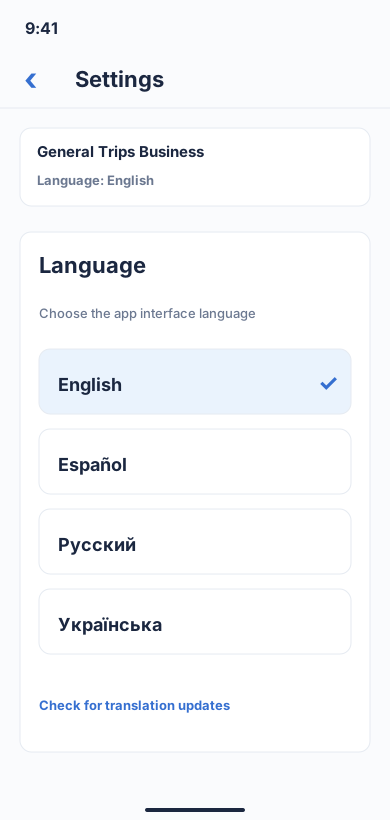
English, Spanish, Russian and Ukrainian.
Flutter UI: MileFreeLanguagePickerOpen larger preview ↗Illustrative previews based on the app interface, with example data. These are not actual iPhone screenshots; the design may change. Preview text is in English.
Four languages. Every feature. FULL FREE.
Languages are not a paid upgrade. MileFree is committed to FULL FREE mileage tracking: no Premium or Pro tier, no subscription and no monthly trip cap. A free download followed by a short trial is not FULL FREE.
What's next
We're continuing to improve trip detection, reports and translation quality. If you notice an unclear phrase, please share feedback to help MileFree feel natural in your language.
Four languages. One simple way to track miles.
English · Español · Русский · Українська. Easy. FULL FREE. Safe.